
Social Media Marketing for Small Business: How to Get Booked
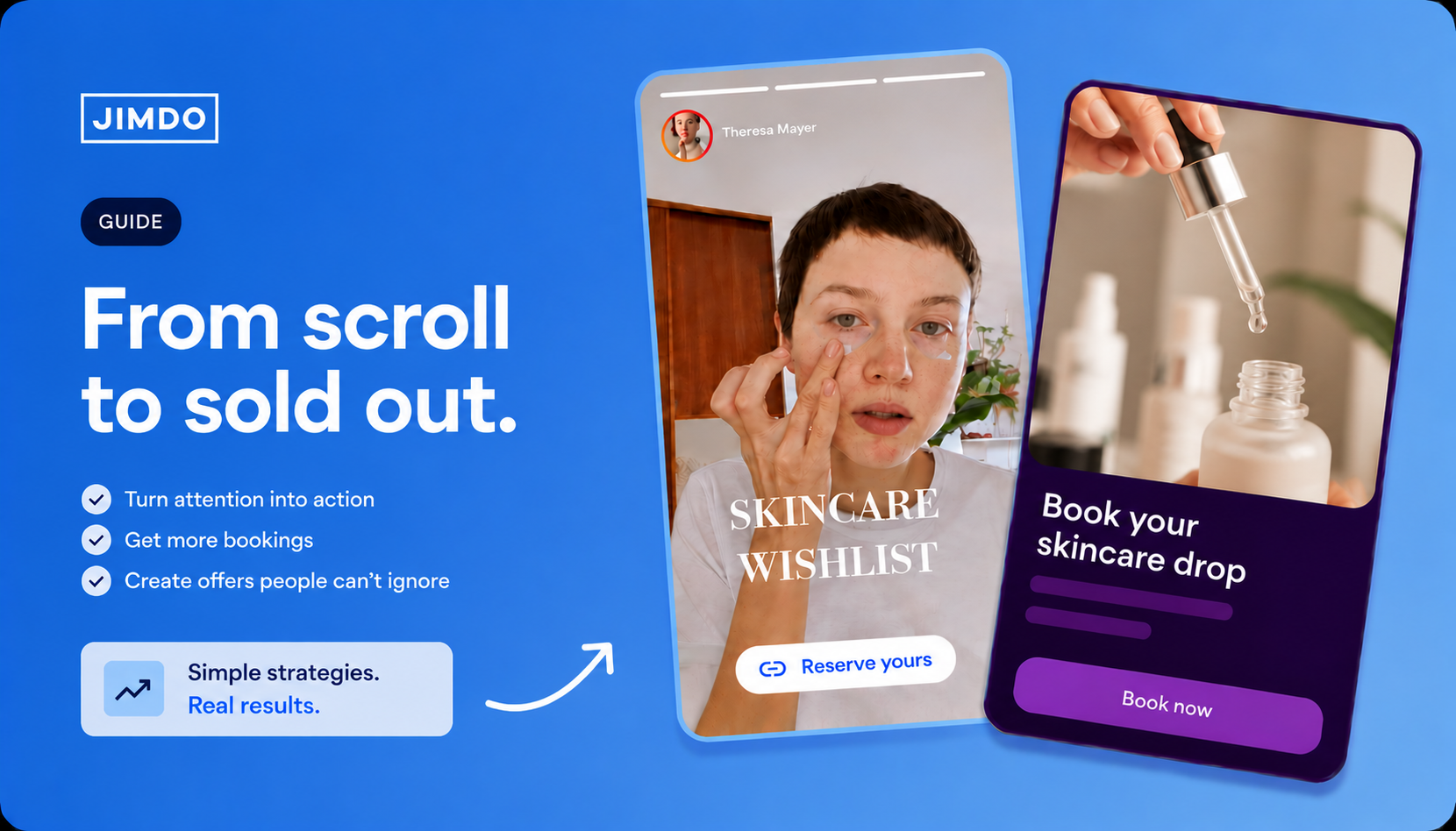


If you’re still sending people to your profile link, you’re losing bookings. Your followers rarely visit your profile — and almost never tap the link there. Here’s the simple system that turns a scroll into a booked, paying client.
First, the good news: when it comes to social media marketing for a small business, the customers are already on the platforms. More than 60% of product discovery now happens on TikTok, Instagram and YouTube — ahead of Google — according to Sprout Social’s 2025 Index.1 Among 18–24-year-olds, 67% reach for Instagram first to find a local business2 — and it’s not just the youngest: even in the 25–34 bracket, 54% use Instagram to look one up.6 Attention isn’t usually the thing standing between you and a fuller calendar.
The gap is what happens after the scroll. You can do everything the playbook tells you — post consistently, ride the trends, keep a tidy content calendar — and still finish the month staring at an empty booking page. That’s not a content problem. It’s a closing-the-loop problem: social earns attention, but attention on its own doesn’t pay rent.
Short answer: Treat the link people actually tap as your conversion engine — not your homepage, not your DMs, not a Linktree dumping ground. Point it at a clean bio page, put each offer on its own dedicated action page, drop those links straight into your Stories (where attention already is), and end every page with a way to book or pay. That’s the whole game.
1. Why most social media marketing advice misses the point
Plenty of small business owners follow the playbook to the letter – three to four posts a week, the trending audio, a Notion calendar that would make an agency weep – and when they look at what it’s doing for revenue, it’s often close to nothing.
That’s because nearly every guide teaches the front end of social: what to post, when to post, how to look on-brand. Far fewer cover the genuinely hard part – turning a saved Reel into a paying client. And there’s a measurement reason it stays hidden: industry benchmarks put bio-link click-through at roughly 0.5-3% of the people who land on your profile3” and most of your audience never lands there in the first place. They watch, they scroll, they move on.
In practice, three things quietly kill the loop:

The fix isn’t more content. It’s a tighter loop between the moment someone notices you and the moment they pay you.
2. Make your bio page the front door, not a billboard
Instagram now lets you stack up to five links in your bio, and TikTok and Facebook give you one too. But more links aren’t the fix — what matters is where the link points.
Most send people to a homepage that opens with a founding story. That’s a tour, when the person tapping wanted a door.
So make the link they’d actually tap a proper bio page – a focused front page, not a homepage tour. A good one answers three questions in under five seconds:
- What do you do, and who do you do it for?
- What can the visitor act on right now – a class, a free consult, a waitlist?
- How do they actually book or pay?

When a post takes off – and they do, often without warning – your bio page is already aimed at the thing you can monetise this week, not at a generic “about us” page.
3. Drop your booking link straight into Stories
This is the move most local owners miss, and it’s the highest-leverage one in this whole post. The hard truth from talking to real solopreneurs: most people never visit your profile. They see your post or your Story in the feed and keep moving. So a perfect bio link can still go untapped simply because nobody made the trip to your profile to find it.
Stories fix that, because they put the link inside the content people are already watching. Over 500 million people use Instagram Stories every day,4 and roughly a third of the most-viewed Stories worldwide are posted by businesses4 — this is a behaviour your customers already have. Here’s the part that matters: far more of your followers will watch your Stories than will ever tap through to your profile. So the exact same link reaches more of your audience as a Story sticker than it does sitting in your bio. Add a link sticker pointing straight at your offer’s action page (the single-purpose pages you build in Jimdo Flows) and the booking link is one tap away — no profile visit required.

How to add a link to an Instagram Story
If you’ve never used the link sticker, here’s the whole process — it takes about thirty seconds:
- Open the Instagram camera and create or upload your Story.
- Tap the sticker icon at the top of the screen.
- Choose the Link sticker.
- Paste your action page URL, then tap the sticker to rename the text to something like “Book now” or “2 slots left”.
- Drag it into place, share the Story, and save it to a Highlight so the link keeps working long after 24 hours.
That’s it — anyone with a public account or a business/creator account can use it, no follower minimum required. The same logic applies on TikTok and Facebook: meet people in the feed with a direct link to the thing they can act on, instead of hoping they’ll detour to your profile and dig for it.
4. Stop guessing: let Jimdo Flows suggest offers worth testing
For a busy solopreneur, the hardest part of social usually isn’t writing posts — it’s deciding what to build them around. The yoga instructor sitting on an empty Sunday workshop. The coach with an unlaunched cohort that’s lived in a Google Doc since spring. The stylist who’s never once run a seasonal promo. Same blank-page problem every time.
This is one place where AI genuinely earns its keep. Jimdo Flows looks at your business and what’s working for similar solopreneurs, then tells you what to try: a paid workshop, a starter package, a launch waitlist, a free intro session that fills your calendar. Pick one, and Flows builds you the action page to match.
You don’t have to take every suggestion (you shouldn’t). Pick one offer per month and commit to running it. The point isn’t a perfect idea on the first try — it’s to stop hoarding offers in a doc that never see daylight. Flows is free to start, and you can have your first action page live in under five minutes — so there’s no real reason to keep that offer sitting in a Google Doc. Try Flows free →
5. Test fast with an action page, not a website rebuild
You’ve picked an offer. The next thing that kills momentum — every single time — is the page that’s supposed to sell it. Most owners don’t have a spare weekend to redesign their site for every promo, so the offer goes out as a caption with a calendar link, and most of the interest quietly evaporates.
What works instead: a dedicated action page per offer — a single-purpose page with one headline, one promise, one proof point, one button. Use them for:
- A weekend workshop or class.
- A limited-spot mini-cohort.
- An email list with a specific promise — “first dibs on Saturday slots,” not “join our newsletter.”
- A seasonal package, gift card, or local event tie-in.
Each action page stands alone, so you can test two or three offers in the same month, point your bio page and Story link to whichever one you’re pushing that week, and replace a page if an offer flops — all without touching your real website.
6. Close the loop: get bookings, not callbacks
Every action page has to end in an action your customer can complete right there, without leaving. For a local service business that’s almost always one of two things — a booking calendar showing your real availability, or a payment link for a deposit or full payment.
If someone has to DM you to ask “wait, is this still happening?”, most of them won’t. So make it possible to book and pay in a single tap. Wire bookings to your calendar so you don’t double-book, and take a deposit on workshops — it’s not just about cash flow. No-shows average around 23% of bookings, and asking for a small upfront commitment is one of the few things shown to move that number: one study found cancellation fees cut no-shows by roughly 14%.5 A deposit raises the stakes just enough that people either show up or cancel in time for someone else to take the slot.
This is where the path from social → link → page → payment stops being theoretical. Jimdo is built around exactly this loop — get found, get booked, get paid in one connected system, instead of five apps duct-taped together.

7. A weekly rhythm that fills your calendar
You don’t need to post every day — you need far less content than the gurus claim. What you actually need is one offer per week and a small, repeating rhythm:

After two or three months you’ll have a small library of action pages you can quietly re-run on a cycle. That’s the difference between busy posting and a calendar that fills itself.
8. Build the system, not just the posts
The real lesson: social media isn’t the system — it’s the front of the system. The path from a post to a paying client does the actual work, and most local businesses simply haven’t built that path yet. Which, if you build it, is the whole opportunity.
Spend one hour a month picking an offer, spinning up an action page, and pointing your bio page and Stories at it — and you’ve got a real growth system.
9. Frequently asked questions
Q: What’s the 5-5-5 rule for social media?
The 5-5-5 rule means spending five minutes engaging (commenting and liking) with five accounts before you post, five days a week. It’s a consistency habit that keeps small accounts visible to the algorithm. It only pays off, though, if every post leads back to a clear next step — usually a link pointed at whatever offer you’re selling this week.
Q: How do I turn social media followers into paying customers?
Send your link — in your bio and in Stories — to a focused action page, not your homepage. That page has to end in a booking calendar or a payment link. If a follower has to message you to find the next step, the conversion is already lost. Assume nobody will do the work to track you down.
Q: Why use Stories instead of just my bio link? Because most people never visit your profile, so they never see the bio link. Stories put the link inside the content they’re already watching — over 500 million people use them daily.4 A link sticker on a Story (saved to a Highlight) turns passive viewers into one-tap bookings.
Q: What should I post as a local business? Pick one offer for the month and build everything around it: an explainer, a behind-the-scenes, a customer result, and a deadline reminder. One offer, four posts, repeating. That’s the simplest version of small-business social that actually closes work.
Q: Which social media platform is best for a local business? Whichever one your specific customers already use to find businesses like yours. Instagram and Facebook still dominate for most local services, and 67% of 18–24-year-olds look up local businesses on Instagram first.2 TikTok works well if you’re comfortable on camera. And a Google Business Profile isn’t optional — you need one to show up in local Google search and Maps.
Q: Do I need a website if I have an Instagram account? Yes, definitely. Your social profile is rented space — algorithms shift, accounts get locked, and you can’t take real bookings or payments through a feed. A simple website plus a few action pages gives you a permanent home and a way to close business when a platform changes the rules under your feet.
Sources
- The 2025 Sprout Social Index — product discovery on social vs. search. sproutsocial.com/insights/index
- Marketing Dive / SOCi — Gen Z preference for Instagram and TikTok in local search. marketingdive.com
- Link-in-bio click-through benchmarks (share of profile visits). gatilab.com/who-clicks-instagram-link
- Sprout Social — Instagram statistics: 500M+ daily Stories users; share of most-viewed Stories from businesses (Meta data). sproutsocial.com/insights/instagram-stats
- No-show benchmarks and deposit/cancellation-fee effect (incl. Journal of Psychotherapy Integration study). dialoghealth.com
- SOCi consumer behaviour data — Instagram use for local business discovery by age (25–34). soci.ai
Build a strong business with Jimdo.
Create a website and get found, get booked, get paid – all in one place.
🚀 Ready to take your business online?
No credit card needed. Online in minutes.